
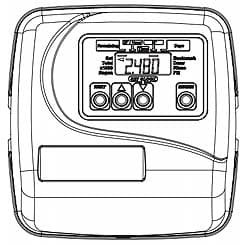
Product Description
The following instruction must be followed when programming the WS1EI – WS2EI as analternator.Valve A:1. In Confi guration Settings Step 3CS, VOLUME (M3) must be selected.2. In Confi guration Settings Step 4CS, “On 0” must be selected.3. In Confi guration Settings Step 5CS, Alt A must be selected. The “A” control is the oneconnected to the “A” port of the MAV Motorized Alternating Valve and has the two pin wireconnector from the MAV Motorized Alternating Valve connected to it.4. In Volume Installer Display Settings Step 2I, enter the volumetric capacity for the system.5. In Volume Installer Display Settings Step 3I, set Days Override to OFF. Valve B:1. In Confi guration Settings Step 3CS, VOLUME (M3) must be selected.2. In Confi guration Settings Step 4CS, “On 0” must be selected.3. In Confi guration Settings Step 5CS, Alt B must be selected. The “B” control will be connectedto the “B” port of the MAV Motorized Alternating Valve and will have no electrical connectionto the MAV.4. In Volume Installer Display Settings Step 2I, enter the volumetric capacity for the system.(This must be the same as Valve A.)5. In Volume Installer Display Settings Step 3I, set Days Override to OFF.